

What is the Cloud: A Simple Analogy

What is the Cloud: A Simple Analogy
You use the cloud and don’t even know it. Do you go to Amazon and create a wish list? Do you have an email account on Yahoo? That is cloud computing. All your emails are stored on Yahoo servers somewhere. They are on physical servers, of course, but they aren’t on your laptop. The advantage is that when you spill your coffee onto the laptop keyboard, you haven’t lost all your emails even if you never backed up your hard drive. ( If you haven’t, shame on you, by the way.)
Here is a simple analogy to explain how the cloud works and why it might be a very useful part of your business model. Picture the small, very cramped office space of a little start-up. You and a few coworkers sit in tight quarters with messy desktops buried in mounds of papers, files, and pizza boxes. There is absolutely no room for storage. (Throw the boxes out yourself. There are limits even to cloud technology) It will be a long time until you can afford a larger office space. Your building manager offers to rent you an empty file cabinet in the basement. Although the basement space is shared with other tenants, only you and your team have keys to this locked cabinet where you will store all those piles of paper. Your rent is relatively cheap compared to other tenants, since you’re only paying for the cabinet, and not the larger lockers they have leased.
Suddenly, those once covered desktops are clean, leaving space to work. More importantly, the papers are all nearby, each of you has a key, but they are safe from everyone else in the building or outside. They are also safe from spilled coffee and pizza crumbs. You’ve avoided the dramatic jump in fixed costs required to find bigger office space, when all you needed were several feet of filing cabinets. Even better, the money saved is put back into the core goal of providing a product or service to a customer.
The cloud does the same thing. You rent only the space you need, it is safer from hackers than your on-site server will ever be, secure from thieves, and protected from accident prone employees. Unlike the rest of us, cloud service providers don’t have coffee cups near their keyboards or forget to do monthly backups. In short, the cloud provides scalable storage without large incremental leaps in fixed costs you really can’t afford.
Loss of Data: Causes and Prevention
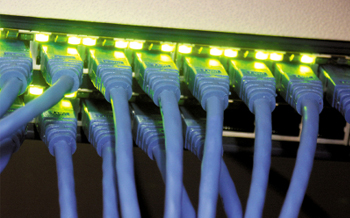
Loss of Data: Causes and Prevention
The adoption of technology from the simplest of matters to the most complex problems has rendered us heavily dependent on it. We love paying our bills minutes before they are due. We enjoy seeing loved ones face-to-face on our computer screens. We can access and print our extremely sensitive records from government and financial websites in a matter of minutes instead of waiting for the mail for days. The time and resources that technology saves are invaluable, but this convenience has a very ugly side. This convenience brings costs, which could include irreparable financial, professional, and social damage. The technology that is designed to make life easier can also wreak havoc when criminals use it to breach secured, personal information. So how do we tame this beast called ‘breach of data security’?
Background: The gravity of the problem: To look for a solution, we first need to understand how serious this problem is. Breaches in data security and loss of data could spell imminent demise for many small companies. According to the National Archives & Records Administration in Washington, 93% of companies that have experienced data loss resulting in ten or more days of downtime have filed for bankruptcy within a year. 50% wasted no time and filed for bankruptcy immediately and 43% that have no data recovery and business continuity plan go out of business following a major data loss. In the past, small- to medium-businesses (SMBs) thought that data security problems were reserved for large corporations, but cyber criminals are finding out that SMBs are more complacent in securing their data thus making themselves easier targets. More importantly, the lightly guarded SMBs can provide backdoor access to the large entities hackers really want to hit. Fewer than half of the SMBs surveyed said they back up their data every week. Only 23% have a plan for data backup and business continuity. That is why the number of cyber attacks on SMBs has doubled in the recent past.
Causes of lost data: Loss of data can be attributed to two factors.
- Breach of data security: As we discussed above, theft is the main reason for loss of data. Hackers can get into networks by installing their own software hidden inside emails and other Web content. They take over PCs and networks and then access files containing personal information. They can then use that information to empty people’s bank accounts and exploit data for other purposes.
- Human error and employee negligence: Humans still have to instruct technology to perform as desired. Examples of negligence include unattended computer systems, weak passwords, opening email attachments or clicking the hyperlinks in spam and visiting restricted websites. Fortunately, this type of loss of data is easily preventable, but it is just as detrimental and can bring your business to a halt. Downtimes can be very harmful to your business continuity and revenue.
Five ways to minimize data loss
- Enforce data security: More than technology, this is the management of human behavior. SMB management must communicate data protection policy to the entire staff and see to it that the policy is adhered to. Rules and policy must be enforced very strictly regarding the use of personal devices. Tell employees to create passwords that are hard to crack and change them frequently.
- Stress the consequences: Rules are only good if there are consequences for not following them. Define what those consequences mean for the both the individual and the organization.
- Mobile device management: Mobile devices may be the weakest link in data security. “Mobile device management” refers to processes that are designed for the control of mobile devices used within the company. Devices tapping into company systems are identified and monitored 24/7. They are proactively secured via specified password policies, encryption settings, etc. Lost or stolen devices can be located and either locked or stripped of all data.
- Snapshots: Fully backing up large amounts of data can be a lengthy process. The data being backed up is also vulnerable to file corruption from read errors. This means sizeable chunks of data may not be stored in the backup and be unavailable in the event of a full restoration. This can be avoided by backing up critical data as snapshots.
- Cloud replication and disaster recovery services: For SMBs who consider data backup to be too costly, time consuming and complex there is an answer. The Cloud provides a cost-effective, automated off-site data replication process that provides continuous availability to business-critical data and applications. Cloud replication can often get systems back online in under an hour following a data loss.
To conclude our conversation, it is very important to understand the causes and consequences of data loss. Be proactive and minimize the likelihood of a data breach and data loss, so you can stay in business without interruption. Make sure you have a solid data recovery and business continuity plan so you don’t become another statistic about small firms who didn’t make it.
Be Proactive: How to Avoid Potential Network Failures
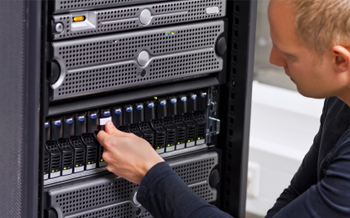
Be Proactive: How to Avoid Potential Network Failures
For small- to medium-sized businesses (SMBs), an IT network failure can be devastating because they don’t have the resources of large corporations to bounce back from such disasters. Preparation against such devastation may be the only course for them to avoid failure and survive with the least damage if failure occurs. SMBs must be proactive in recognizing the eventuality of a cyber attack or human error that can cause data loss and disrupt business continuity. This is what needs to be done to help prevent a potential failure.
Be prepared: Being proactive is an essential step for preparation against a disaster. There are two ways to determine how to best prepare to prevent potential failure of your infrastructure. First, you need to identify the weaknesses throughout your systems, and second, determine how you are going to eliminate those weaknesses and protect your network.
Identify the weaknesses: Determine how and why your system could fail. Examine all aspects of your hardware and software. Assess all the internal and external factors that could contribute to failure of your networks. Here are some questions you need to know the answers to.
- Does customer access and/or employee productivity often stall because of downed systems? In these situations, how quickly is your IT support able to minimize the damage?
- Can you say with certainty that your business will be back on line and be able to access lost data with minimal disruption in case of failure?
- Your critical data should be backed up frequently. The data on personal laptops, iPads and other mobile devices should also be backed up. Are all these steps being taken, and how often?
- Are all backups stored in a location off-site and are they quickly accessible in the event of corruption, fire or flood?
- Are you using any custom made software? Can it be reinstalled and updated when needed?
- Are your systems truly protected from hackers and viruses? Do you change passwords when employees leave the company?
- How often do you test your backup processes?
The answers to all these questions should give you a clear picture of your network’s ability to survive in case of a catastrophe.
Here are five steps that you can take to protect your networks
- Backup files every day: There are a large number of businesses that never backup data. Only 23% of SMBs are backing up their data daily, and only 50% are doing it weekly. A number of issues can result in loss of data. You should backup data every day.
- Check backup procedures regularly: Don’t find out accidently that your backup system is not working properly. By then it could be too late. It may seem like your data is being backed up normally, but check frequently if it is backing up the way it should be. In this age of BYOD make sure all employees are also following procedures to backup data on their laptops, iPads, etc.
- Make sure virus protection and firewalls are always enabled: Many companies either don’t have virus protection installed or it is disabled. That renders their networks vulnerable to virus attacks from emails, spam and data downloads. Corrupted files will not only bring your systems down but they can spread to your customers and email contacts. That will spell disaster for your reputation. Hackers are always looking for unprotected and open ports online that they can attack with malicious code or files. That can cause permanent data loss.
- Monitor server drives: Dangerously full server drives can cause many problems, ranging from program crashes to sluggish email delivery. Servers should be monitored and maintained regularly to avoid these problems.
- Check built-in logs: Frequent reviews of built-in logs can reveal small issues. You will have a chance to prevent them from becoming bigger, harder-to- manage problems that can bring your systems down.
Summary: We now know IT system failures have very serious consequences for SMBs. We also know that they can avoid such failures by being proactive. Many SMBs are now turning to cloud-based services and virtualized backup solutions to mitigate downtimes and network failures. Virtualization and cloud computing have enabled cost-efficient business continuity by allowing entire servers to be grouped into one software bundle or virtual server – this includes all data, operating systems, applications, and patches. This simplifies the backup process and allows for quick data restoration when needed.
It is Heaven! Using the Cloud to Challenge Big Business
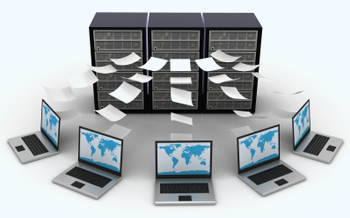
It is Heaven! Using the Cloud to Challenge Big Business
Has anyone suggested you begin moving your business to the cloud? Cloud data storage or cloud computing? What is this, anyhow? And isn’t it something for huge companies?
In the last post we explained what cloud computing is. Simply put, it is the offsite storage of your data, and perhaps even the software packages you use. The primary benefit is pretty straightforward. Somebody else pays for all the hardware and support costs needed to store your data. You pack up all your own servers, wiring, etc. and take them to the recycling center, and save money. But is that all it is? There is a much stronger case for a small business to incorporate the cloud in their business model. The cloud allows you to become competitive with the big players in your industry.
The traditional issue holding back small business: they do not have the capital to create the infrastructure to compete with large firms. They are too small to enjoy economies of scale. One obvious area is software and hardware. Historically, the technology used by big business has been out of reach of the little guys. Most SMBs have neither the hardware budget nor internal resources to own a network infrastructure. A small business does not have capital to buy the equipment. Take a simple example: You run a storefront, but think you might be able to sell a bit more if you went online, but you don’t know how much more. You can’t justify the capital to buy the hardware, software, and the labor to design, build, and support it all. The cost of entry to the online world is just too much.
The cloud ends all of that. In simple terms, the cloud lets you rent just as little infrastructure as you need, and then lets you grow as incrementally as you like, paying only for what you use.Essentially, the cloud has become the great equalizer. The high cost of entry created by IT can be eliminated by the cloud.
Interesting links
Here are some interesting links for you! Enjoy your stay :)Pages
- About
- Blog
- Contact
- doc-repository
- doc-repository-x0425ui
- Email Disclaimer
- Home
- Managed IT Services Inclusion List
- New Client Information Form
- Privacy Policy
- Recommended Technology Platform
- Service Level Objective (SLO)
- Services
- SMS & MMS Support
- Taxes, Surcharges & Fees
- Terms and Conditions
- Third Party Service Provider EULAs